The calculation itself is not complicated. What makes it go wrong is using the marketing bitrate instead of a real one, forgetting that a 10 TB drive does not give you 10 TB, and quoting the raw figure without headroom.
This guide gives you the formula, realistic bitrate figures, three worked examples at different project sizes, and the mistakes we see most often in tender documents crossing our desk as Oman’s authorized Dahua distributor.
The Only Formula You Need
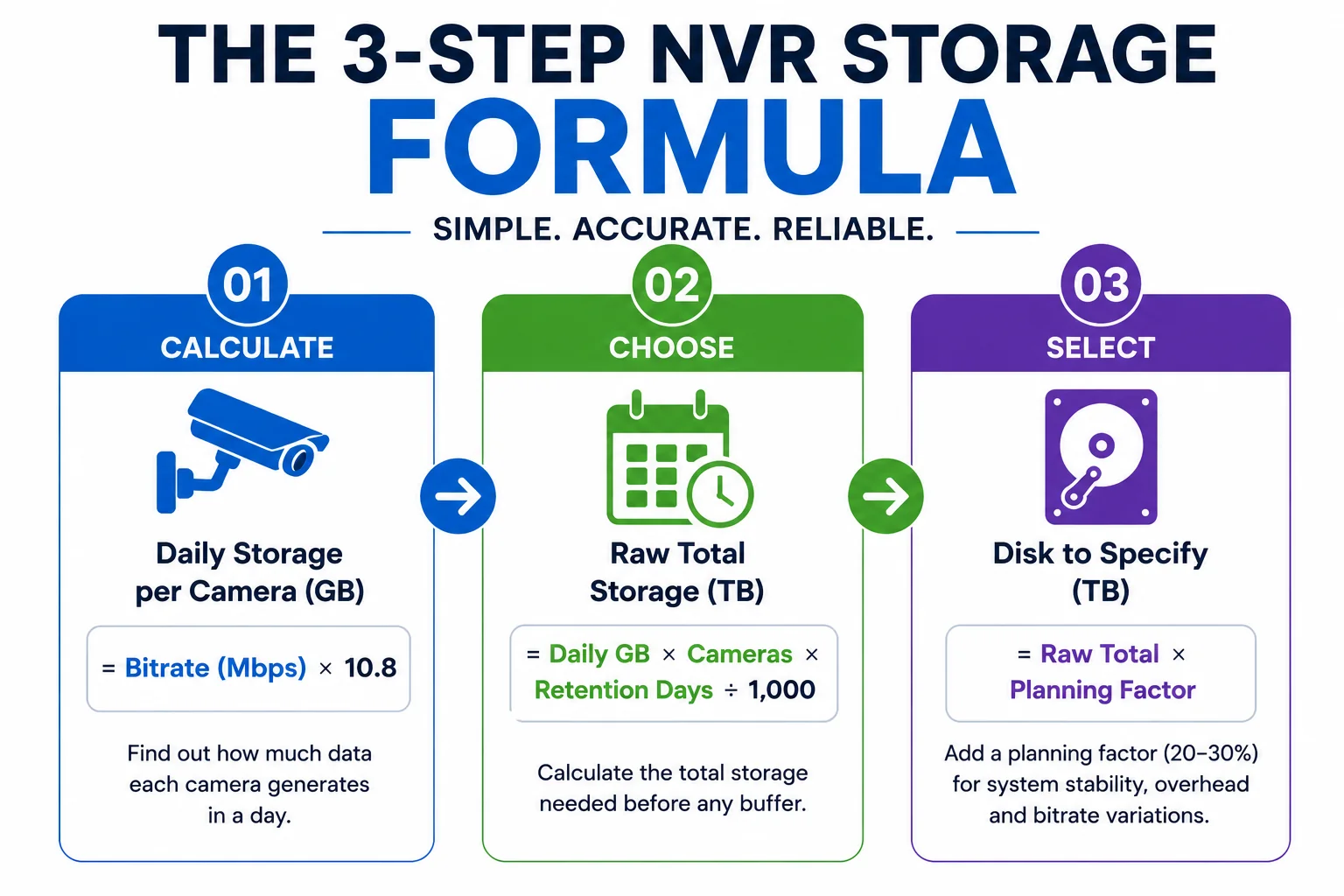
Storage is bitrate multiplied by time. Everything else is refinement.
A single 4MP camera at 3 Mbps produces about 32 GB a day. Sixteen of them produce about half a terabyte a day. Over a month that is roughly 15 TB, and suddenly the drive bay count on the recorder matters.
Realistic Bitrates: Not the Datasheet Maximum
This is where most sizing errors begin. Datasheets quote a maximum bitrate. Real installations run well below it, but not as far below as an optimistic quotation assumes.
The figures below are for H.265 at 15 frames per second with continuous recording, which covers the majority of commercial installations:
Three adjustments to apply to that table:
- H.264 roughly doubles every figure. If the project specifies H.264 for compatibility with older equipment, double the numbers before you go any further.
- Frame rate scales linearly. Moving from 15fps to 30fps doubles storage. For most surveillance the extra frames add cost without adding evidential value: you are identifying a person or a vehicle, not analysing a sports replay.
- Scene complexity pushes toward the upper end. A camera watching a still corridor sits near the bottom of the range. A camera over a busy car park entrance, with moving vehicles, shifting shadows and heat haze through the afternoon, sits at the top. Size for the busy cameras, not the quiet ones.
| Camera | Typical bitrate (H.265, 15fps) | Per day, per camera | Per 30 days |
|---|---|---|---|
| 2MP / 1080p | 1.5 – 2 Mbps | 16 – 22 GB | 0.5 – 0.7 TB |
| 4MP | 2.5 – 3.5 Mbps | 27 – 38 GB | 0.8 – 1.1 TB |
| 5MP | 3.5 – 4.5 Mbps | 38 – 49 GB | 1.1 – 1.5 TB |
| 8MP / 4K | 5 – 8 Mbps | 54 – 86 GB | 1.6 – 2.6 TB |
| 4K ANPR or face capture | 8 – 12 Mbps | 86 – 130 GB | 2.6 – 3.9 TB |
Worked Example 1: Retail Unit, Ruwi
Eight 4MP cameras covering shop floor, till points, stockroom and rear entrance. Continuous recording, H.265, 30-day retention.
- Bitrate: 3 Mbps per camera
- Per camera per day: 3 × 10.8 = 32.4 GB
- All eight per day: 32.4 × 8 = 259 GB
- Over 30 days: 259 × 30 = 7,776 GB ≈ 7.8 TB raw
Apply a planning factor of about 1.35 to cover disk formatting overhead, a fill ceiling and bitrate spikes, and you land near 10.5 TB. On a two-bay 8-channel recorder, two 6 TB surveillance drives cover it with room to spare.
Worked Example 2: Warehouse, Sohar
Thirty-two cameras: twenty-four 4MP for general coverage plus eight 4K units on the loading bays and perimeter gates. Continuous recording, H.265, 30-day retention.
- 24 × 3 Mbps = 72 Mbps
- 8 × 6 Mbps = 48 Mbps
- Total system bitrate: 120 Mbps
- Per day: 120 × 10.8 = 1,296 GB
- Over 30 days: 38,880 GB ≈ 38.9 TB raw
At this size the project moves to a multi-bay recorder with RAID, and RAID changes the arithmetic: covered below. With RAID 5 across eight bays and a sensible fill ceiling, eight 10 TB surveillance drives give comfortable headroom against that 38.9 TB requirement.
Worked Example 3: Mixed Industrial Site, 64 Cameras
Forty 4MP general coverage, sixteen 4K, and eight 4K ANPR cameras on vehicle gates. Continuous recording, H.265, 60-day retention.
- 40 × 3 = 120 Mbps
- 16 × 6 = 96 Mbps
- 8 × 8 = 64 Mbps
- Total: 280 Mbps
- Per day: 280 × 10.8 = 3,024 GB ≈ 3 TB per day
- Over 60 days: 181 TB raw
This is past the point where a standard NVR is the right answer. A project at this scale needs enterprise recording hardware or a dedicated storage platform, and the storage design should be settled before the camera schedule is finalised, not after.
It is also the point where a sensible conversation about retention saves real money. Dropping from 60 days to 30 halves the storage bill. If nobody has asked the client why they want 60 days, that question is worth more than any optimisation further down the line.
Typical Retention by Project Type
| Project type | Commonly specified retention |
|---|---|
| Small retail and F&B | 15 – 30 days |
| Offices and commercial buildings | 30 days |
| Warehouses and logistics | 30 – 60 days |
| Banking and finance | 90 days or more |
| Government and defence | Project-specific, often 90 days plus |
| Oil, gas and industrial | 30 – 90 days depending on the operator |
Retention: What Projects Actually Ask For
Retention is a decision, not a technical constant, and it is usually made by someone other than the installer. Common patterns we see in Oman project specifications:
Two points to raise with the client before the quotation goes out:
- Confirm the requirement in writing. Retention is where scope disputes start. If the tender says thirty days and the client later expects ninety, the storage shortfall is discovered at exactly the wrong moment.
- Check whether a regulator or the client’s own insurer sets the figure. Some sectors carry a specific requirement, and where one applies it overrides whatever the budget would prefer. Elite Infotech can help partners confirm what a given sector’s projects typically require, but the client’s own compliance team should sign off the number.
Nominal Versus Usable: Where the Terabytes Go
A drive sold as 10 TB does not present 10 TB to the recorder, and a recorder should never be filled to the brim. Two separate deductions apply:
- Formatting. Drive capacity is advertised in decimal terabytes while the file system reports binary. The practical effect is roughly a nine per cent reduction: a 10 TB drive presents about 9.1 TB.
- Fill ceiling. Recorders overwrite the oldest footage when the disk fills, but running permanently at the limit is hard on the drives and leaves no margin for a spike. Plan to about ninety per cent.
Combine those two with an allowance for bitrate variation and a planning factor of roughly 1.3 to 1.4 on the raw figure is realistic for a non-RAID system. Quoting the raw number is how projects end up short.
RAID Changes the Maths
On multi-bay recorders, RAID protects against a drive failure taking the footage with it. It also consumes capacity:
- RAID 1 mirrors, so usable capacity is half the total. Simple, and appropriate on small critical systems.
- RAID 5 sacrifices one drive’s worth of capacity across the array and survives a single drive failure. The common choice on mid-size commercial systems.
- RAID 6 sacrifices two drives’ worth and survives two simultaneous failures. Worth it on large arrays where a rebuild takes long enough that a second failure during it is a genuine risk.
Whether RAID is required at all is a project decision. On a system where a week of missing footage would be an inconvenience, it may not be. On a bank branch or a site with a compliance obligation, losing the array is not an acceptable outcome and the capacity cost is simply part of the specification.
Which Drives to Specify
Surveillance recording is a continuous sequential write workload running every hour of every day. It is not what a desktop drive is designed for, and this is one of the most common causes of premature failure in systems we are called to look at.
- Use surveillance-grade drives. They are built for constant write duty and for sitting in a multi-drive chassis with the vibration that comes with it. Desktop drives in an NVR are a false economy that usually surfaces in year two.
- Do not use SSDs for recording. Continuous write duty consumes their endurance quickly. Mechanical drives handle this workload for years.
- Match the drive to the bay count. Higher drive counts increase vibration, and drives rated for larger arrays handle that better.
- Check the recorder’s maximum supported capacity per bay. It varies by model, and specifying a drive the NVR cannot address is an avoidable delay on site.
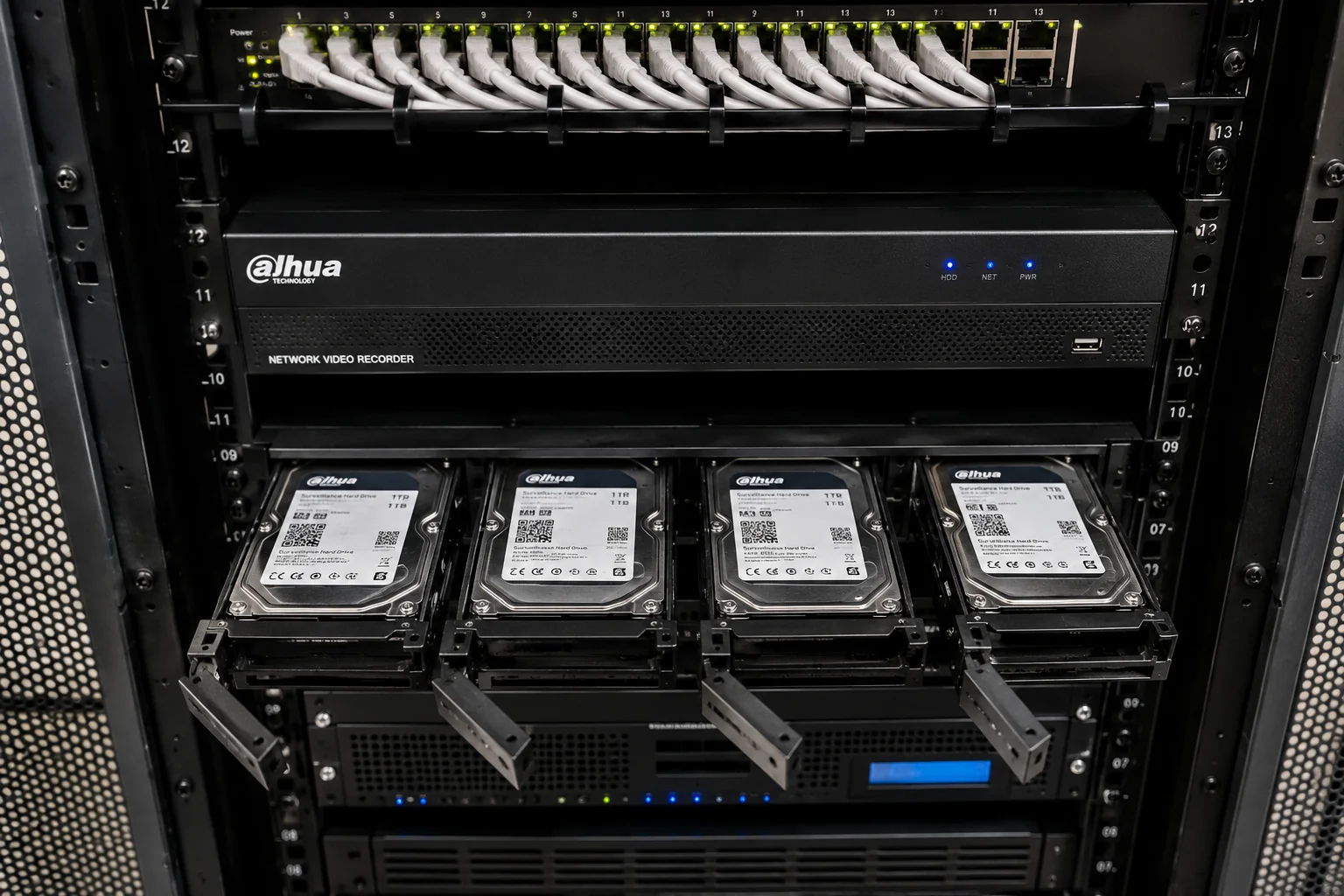
Elite Infotech supplies surveillance-grade storage alongside Dahua recorders, so partners can source the recorder and the correctly rated drives on one order rather than sourcing separately and discovering a compatibility issue on commissioning day. Surveillance-grade options we stock include Seagate SkyHawk AI, WD Purple Pro and Toshiba S300 AI. For large RAID arrays and enterprise recorders, look at Seagate Exos and Toshiba MG enterprise drives. Model numbers and a storage calculator are on our Seagate surveillance drives in Oman page.
Cutting Storage Without Cutting Evidence
When the number comes back higher than the budget, these are the levers that reduce storage without weakening the system in a way the client will regret:
- Enable smart codec. Dahua’s H.265 smart encoding reduces bitrate on static portions of the scene and can produce substantial savings on cameras watching mostly still areas. Check the recorder can decode it across all channels first.
- Use AI event recording on the right cameras. On WizSense-capable models, recording on person and vehicle detection rather than continuously cuts storage dramatically on low-traffic areas: a rear fence line, a plant room, an after-hours corridor.
- Schedule by time of day. Continuous during trading hours, event-based overnight, is a sound compromise for retail.
- Right-size the resolution per camera. A 4K camera on a corridor that only needs to show that someone passed is spending storage on detail nobody will use. Put the 4K where identification actually matters: entrances, till points, vehicle gates.
One thing not to do: never record only on motion across an entire site to hit a budget. Motion detection misses things, and the gap will be discovered during an incident review. Mixed schedules are defensible; blanket motion-only is not.
| Mistake | What it costs |
|---|---|
| Using datasheet maximum bitrate | Storage over-specified by 50–100%, and the quotation loses on price |
| Quoting the raw figure with no headroom | System runs out early; retention silently falls short of the specification |
| Assuming H.265 without confirming | If the recorder or an integrated system needs H.264, actual usage doubles |
| Ignoring RAID overhead | A RAID 5 array delivers less usable capacity than the drive total suggests |
| Sizing for average cameras, not busy ones | Car park and entrance channels overrun while quiet channels sit unused |
Five Sizing Mistakes That Show Up in Tenders
A Sanity Check Before You Quote
Run through these before the number leaves your desk:
- Confirm the retention requirement in writing from the client.
- List cameras by resolution and assign a realistic bitrate to each, not one blanket figure.
- Confirm the codec, and confirm the recorder can decode it on every channel.
- Calculate the raw total, then apply the planning factor.
- Decide whether RAID is required and recalculate usable capacity if it is.
- Check the drive count and per-bay capacity limit of the recorder you have specified.
- Cross-check against Dahua’s own disk calculator, which is included in the Dahua ToolBox package.
If steps four and seven disagree by more than a small margin, one of the input assumptions is wrong. Find it before the client does.
Related Reading
- Dahua NVR & Storage Systems: recorder models, channel counts, bay counts and RAID support.
- Dahua CCTV Camera Price in Oman: 2026 Buyer’s Guide, wholesale pricing by camera type and resolution.
- Dahua vs Hikvision: Which Is Better for Oman? A comparison across image quality, AI features and supply chain.
- Industries We Supply: sector deployments across retail, warehousing, government and oil and gas.