
You ask a supplier for a “4K LED wall” and they reply with “P2.5, 4 by 2.5 metres.” Is that 4K? Is it even HD? Most buyers nod along and hope for the best.
You don’t have to. LED display resolution is simpler than it sounds once you know one formula and one rule of thumb. By the end of this guide, you’ll be able to check any quote yourself.
Quick Answer
LED display resolution is the total number of pixels across and down a screen. You find it by dividing the screen’s width and height (in millimetres) by its pixel pitch. Choose resolution based on viewing distance: closer viewers need a smaller pixel pitch and more pixels; distant viewers need fewer.
Key Takeaways
- LED resolution is not fixed like a TV’s. It depends on screen size and pixel pitch.
- Formula: width (mm) ÷ pixel pitch (mm) = horizontal pixels. Do the same for height.
- A Full HD (1920 × 1080) LED wall at P2.5 is about 4.8 m × 2.7 m.
- Viewing distance depends on pitch, content and visual acuity; a pitch-to-distance rule is only a preliminary guide, not a guaranteed minimum.
- Higher resolution isn’t always better. Paying for pixels nobody can see is wasted budget.
What Is LED Display Resolution?
LED display resolution is the number of pixels a screen has, written as width × height, such as 1920 × 1080. On an LED screen, each pixel is a tiny cluster of red, green and blue LEDs. More pixels on the same size of screen means finer detail.
How Is LED Display Resolution Different from a TV?
A particular 55-inch TV model has a fixed native resolution set at manufacture. Physical size alone does not tell you whether it is Full HD, 4K UHD or another resolution.
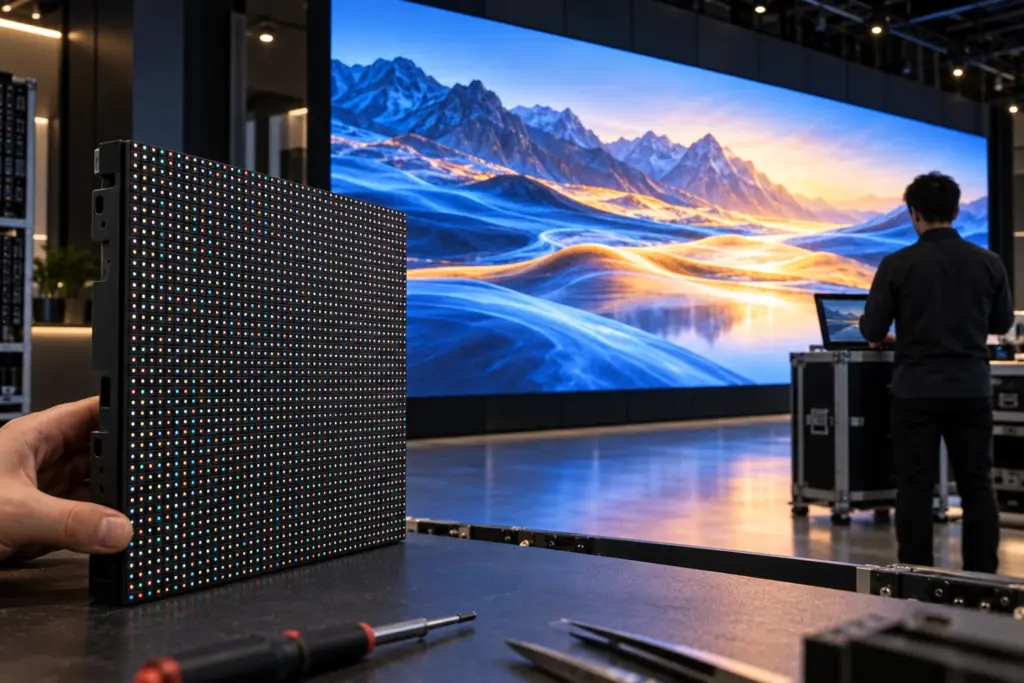
An LED wall is different. It’s built from modules and cabinets, like tiles on a floor. Add more tiles and you get a bigger screen with more pixels. Use a finer pixel pitch and you can fit more pixels into the same physical area; the cabinet size does not have to shrink.
That’s why LED suppliers rarely quote “4K” directly. They quote pixel pitch and screen size, and the resolution comes from those two numbers.
Pixel Pitch vs Resolution: What’s the Difference?
These two terms get mixed up constantly, so let’s separate them.
- Pixel pitch is the distance between the centres of two neighbouring pixels, in millimetres. P2.5 means 2.5 mm apart. It tells you how dense the pixels are.
- Resolution is the total count of pixels across the whole screen. It depends on pitch and size together.
Think of a tiled wall. Pitch is the size of each tile; resolution is how many tiles fit on the wall. Two walls with the same tiles can have very different tile counts if one wall is bigger.
For a deeper look at pitch on its own, see LED Screen Pixel Pitch Explained.
How to Calculate LED Display Resolution
Here’s the formula you’ll use again and again:
Horizontal pixels = screen width (mm) ÷ pixel pitch (mm)
Vertical pixels = screen height (mm) ÷ pixel pitch (mm)
Example 1 — a hotel ballroom screen
Screen: 5 m × 3 m at P2.5
- Width: 5,000 mm ÷ 2.5 = 2,000 pixels
- Height: 3,000 mm ÷ 2.5 = 1,200 pixels
- Resolution: 2,000 × 1,200, slightly more than Full HD
Example 2 — a highway billboard
Screen: 10 m × 5 m at P10
- Width: 10,000 mm ÷ 10 = 1,000 pixels
- Height: 5,000 mm ÷ 10 = 500 pixels
- Resolution: 1,000 × 500
That billboard sounds low-res, right? At a much greater viewing distance, coarse-pitch screens can be suitable for bold billboard content; fine text or detailed graphics may still be unsuitable. That’s the key idea of this whole guide: resolution only matters relative to viewing distance.
The 2,000 × 1,200 example has a 5:3 aspect ratio, not 16:9. Standard Full HD content therefore needs scaling, cropping or letterboxing; more total pixels does not automatically mean a pixel-for-pixel match.
You can also work out pixel density (pixels per square metre) with (1,000 ÷ pitch)². A P2.5 screen has about 160,000 pixels per m²; a P10 screen has about 10,000.
What Size Do You Need for Full HD or 4K?
If you want the LED wall to match standard video content pixel-for-pixel, here are the approximate screen sizes needed at common pitches.
| Pixel pitch | Full HD (1920 × 1080) screen size | 4K UHD (3840 × 2160) screen size |
|---|---|---|
| P1.25 | 2.4 m × 1.35 m | 4.8 m × 2.7 m |
| P1.5 | 2.88 m × 1.62 m | 5.76 m × 3.24 m |
| P1.86 | 3.57 m × 2.01 m | 7.14 m × 4.02 m |
| P2.5 | 4.8 m × 2.7 m | 9.6 m × 5.4 m |
| P3.91 | 7.51 m × 4.22 m | 15.01 m × 8.45 m |
These are theoretical dimensions calculated from nominal pitch, not stocked product sizes. Real walls use discrete modules and cabinets with whole-pixel resolutions. Ask for the exact cabinet pixel counts, cabinet array and resulting native canvas; rounding the external size alone does not guarantee a Full HD or 4K wall.
Notice the pattern: true 4K on a small wall needs a very fine pitch, which raises cost sharply. A processor can scale Full HD content to a different native canvas, but this is not pixel-for-pixel Full HD and fine text may look different. Preview representative content before ordering.
How to Choose the Right LED Display Resolution
Start with where people will stand, not with “HD” or “4K”. Follow these steps: For the broader specification checklist, see how to choose an LED screen in Saudi Arabia.
- Measure the closest viewing distance — the nearest point where people will regularly look at the screen.
- Use a pitch-to-distance estimate only to shortlist models. Compare samples with your actual text size, content and lighting; fine detail can require a smaller pitch than a rough rule suggests.
- Choose the screen size your space and content need.
- Calculate the resolution using the formula above.
- Check your content — make sure your video or slides are made at, or close to, that resolution.
| Pixel pitch | Rough near-viewing guide (not a minimum) | Illustrative further-viewing range | Typical use |
|---|---|---|---|
| P1.25 | ~1.3 m | 2.5–4 m | Boardrooms, control rooms, broadcast |
| P2.5 | ~2.5 m | 5–7.5 m | Hotel ballrooms, mall atriums, showrooms |
| P3.91 | ~4 m | 8–12 m | Stages, events, large indoor halls |
| P6 | ~6 m | 12–18 m | Storefronts, building facades |
| P10 | ~10 m | 20–30 m | Highway billboards, stadiums |
Indoor screens
Indoors, people stand closer, so pitch and resolution matter more. A boardroom in Riyadh where the front row sits 2.5 metres away might shortlist P1.5 to P1.86, but small spreadsheet text needs a content demonstration at the actual seat positions before the pitch is approved.
For spaces like these, a well-matched indoor LED screen sized and pitched for your room makes the difference between a wall people admire and one where they squint.
Outdoor screens
Outdoors, viewers are usually far away and moving, so lower resolution is fine and saves a lot of money. Brightness and weather protection matter more than pixel count here.
A storefront screen viewed from across the street might use P4 to P6. A highway billboard can go up to P8 or P10. If you’re planning one, explore outdoor LED screens built for Saudi viewing distances and sunlight.
Common LED Resolution Mistakes to Avoid
- Paying for pixels nobody can see. A P1.5 screen 15 metres from the audience wastes budget.
- Going too coarse up close. A P6 screen in a small showroom will look like a grid of dots.
- Ignoring content resolution. A 4K wall fed with blurry 720p video still looks blurry.
- Forgetting the aspect ratio. If your screen is 2:1 and your content is 16:9, you’ll get black bars or stretched images. Plan content for the screen’s shape.
- Overlooking the video processor. The control system must support your screen’s total resolution, especially for 4K walls.
Frequently Asked Questions
How do you calculate the resolution of an LED screen?
Divide the screen width in millimetres by the pixel pitch to get horizontal pixels, then do the same with the height. A 4,800 mm wide screen at P2.5 gives 1,920 horizontal pixels.
Is an LED wall 4K?
A native 4K UHD canvas is 3,840 × 2,160 pixels. An LED wall’s native count depends on its size and pitch, not whether the processor accepts a 4K input. At an exact 2.5 mm pitch, that canvas is theoretically 9.6 m × 5.4 m, subject to the available module layout.
What is the difference between pixel pitch and resolution?
Pixel pitch is the spacing between pixels, in millimetres. Resolution is the total number of pixels on the screen. Pitch affects how sharp it looks up close; resolution is the overall pixel count.
What resolution do I need for an outdoor LED screen?
Usually less than you think. Outdoor viewers stand far away, so pitches from P4 to P10 work well. Focus on brightness and weather protection rather than chasing high resolution.
Does higher resolution always mean a better LED screen?
No. The best screen has enough resolution for its viewing distance, no more. Extra resolution beyond what viewers can see adds cost without improving the experience.
Now You Can Read Any LED Quote with Confidence
You now know how LED display resolution works, how to calculate it in seconds, and how to match it to your space. The next time a supplier says “P2.5, 5 by 3 metres,” you’ll know it means 2,000 × 1,200 pixels and whether that suits your room.
When you’re ready to plan a screen for your space, start at Elite Infotech’s LED screen solutions in Saudi Arabia.