
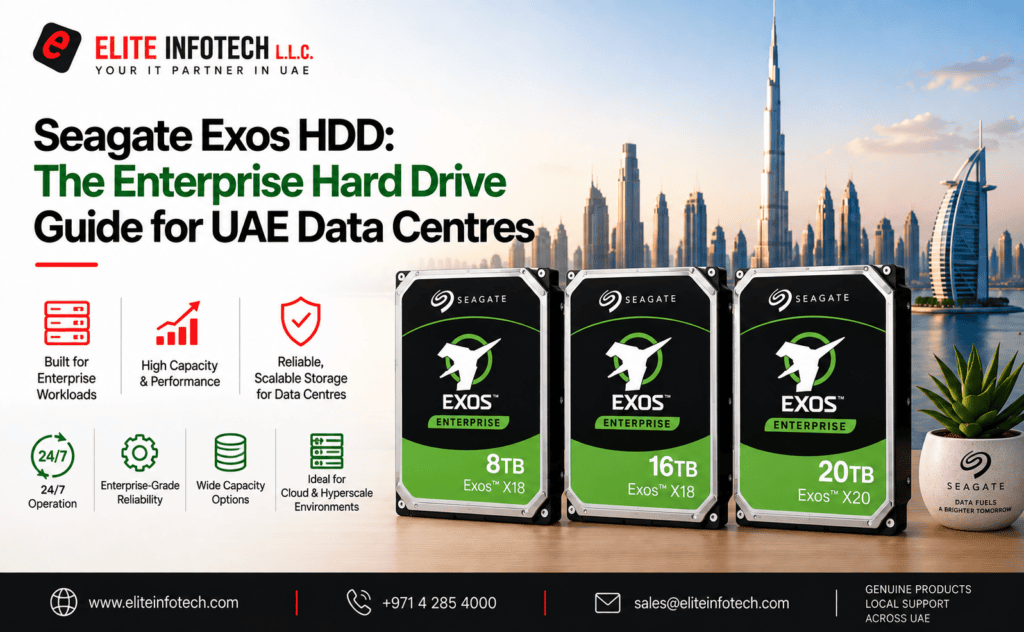
Enterprise storage is bought on a different basis to consumer storage. Nobody specifying drives for a server rack is optimising for price per unit. They are optimising for capacity per rack unit, watts per terabyte, rebuild time, and the probability that a drive fails during a five-year deployment.
The Seagate Exos HDD family is designed against those metrics. This guide covers what the range includes, how the X-series generations differ, when SAS beats SATA, and how to read the model numbers you will see on a quotation.
What Exos is built for
Exos drives are enterprise-class, 7200 RPM, CMR hard drives intended for servers, storage arrays, hybrid cloud infrastructure and data centre environments. The specification that matters most is sustained duty: a 550TB per year workload rating and an MTBF of up to 2.5 million hours, both far beyond anything a desktop or even a NAS drive is designed to absorb.
From roughly 10TB upward the drives are helium-sealed. Helium is less dense than air, so the platters meet less drag. That means more platters in the same 3.5-inch body, lower power draw per terabyte and lower operating temperature , the three things that decide how much storage you can economically fit in a rack.
The newest high-capacity models, at 30TB and 32TB, move to HAMR-based areal density technology, which is how the range keeps scaling past the limits of conventional perpendicular recording.
Key specifications
- Rotational speed: 7200 RPM
- Interface: SATA 6Gb/s or SAS 12Gb/s, depending on model
- Recording technology: CMR
- Workload rating: 550TB/year
- MTBF: up to 2.5 million hours
- Warranty: 5-year limited
- Form factor: 3.5-inch
- Optional: self-encrypting drive (SED) and FIPS variants, instant secure erase
Enterprise features such as PowerChoice and PowerBalance let you trade a small amount of performance for measurable reductions in idle and active power, which adds up quickly across a populated rack.
Understanding the X-series
Exos model families are named by generation rather than by capacity, which confuses first-time buyers. A quick map:
- Exos 7E8 / 7E10 — the 8TB and 10TB class air and helium platforms, still widely deployed for general server storage
- Exos X16 — the 16TB generation, one of the most broadly deployed enterprise drives in the market
- Exos X18 — refined X16 platform, available at 12TB, 14TB, 16TB and 18TB
- Exos X20 — the 20TB generation
- Exos X24 and beyond — 24TB, 28TB, 30TB and 32TB high-density models
An important detail: several capacities appear under more than one family. A 16TB drive may be sold as an X16 or as an X18, and they are not identical internally even though the usable capacity is the same. When you are expanding an existing array, quote the exact model already installed rather than the capacity alone.
Decoding Exos model numbers
Take ST16000NM002H:
- ST — Seagate
- 16000 — capacity in GB (16TB)
- NM — enterprise class
- 002H — interface and feature variant
The suffix is the part to read carefully, because it encodes the interface. Within the same capacity you will find variants such as ST16000NM001H, ST16000NM002H and ST16000NM007H — these differ by SATA versus SAS, sector size and security features. Ordering the wrong suffix is the most common procurement error in enterprise drive purchasing, and a SAS drive will not simply drop into a SATA backplane.
The same pattern runs across the range: ST8000NM017B and ST8000NM018B at 8TB, ST20000NM002H and ST20000NM007H at 20TB, ST24000NM002H at 24TB.
SAS or SATA?
Choose SATA when the drives sit behind a standard server backplane or a software-defined storage node, and cost per terabyte is the priority. SATA Exos drives cover the large majority of deployments.
Choose SAS when you need dual-port connectivity for controller redundancy, higher queue depth handling under heavy multi-initiator load, or you are populating an enterprise storage array that expects SAS. SAS also supports longer cable runs and larger expander topologies.
If the storage array vendor publishes a compatibility list, treat it as binding. Enterprise arrays frequently reject drives that are electrically fine but not on the qualified list.
Exos vs IronWolf Pro
Both Exos vs IronWolf Pro are 7200 RPM CMR drives rated at 550TB/year, so this is not a durability comparison. The difference is the environment each is validated for.
IronWolf Pro is tuned for NAS appliances, with firmware behaviour matched to NAS operating systems and data recovery services included. Exos is tuned for server chassis and storage arrays, offers SAS, and adds enterprise power management and security options.
Put simply: if the chassis is a NAS appliance, buy IronWolf Pro. If it is a server or a storage array, buy Exos.
Planning capacity for a rack deployment
Three numbers usually decide the specification.
Usable versus raw. Parity, spares and filesystem overhead can absorb a quarter or more of raw capacity. Calculate usable first, then work back to drive count.
Rebuild window. A 20TB drive takes considerably longer to rebuild than an 8TB one, and the array is degraded throughout. Higher capacities push most deployments toward dual-parity schemes or erasure coding.
Power and cooling. Helium drives are the reason a modern rack can hold far more storage within the same thermal envelope. If you are refreshing older air-filled drives, the power saving alone often shortens the payback period.
What to check before commissioning
Enterprise drives arriving on site deserve ten minutes of verification before they go into production.
- Read the SMART data. Power-on hours and head flying hours on a genuinely new drive should be close to zero.
- Confirm sector format. 512e and 4Kn variants exist across the range. Mixing them within an array causes alignment problems that are much harder to unwind after data is written.
- Check firmware revision. Vendors occasionally qualify a specific firmware level; matching it across the array avoids inconsistent behaviour during rebuilds.
- Burn in before deployment. A short surface test catches the small proportion of drives that fail early, at a point where replacement costs nothing but time.
Sourcing Exos drives in the UAE
Enterprise drives attract a large grey market. Refurbished units are commonly relabelled and sold as new, and drives pulled from decommissioned data centres can carry substantial power-on hours that only show in the SMART data after installation.
Two safeguards are worth insisting on: serial numbers you can verify against the manufacturer’s warranty database, and a regional support path so a five-year warranty is actually claimable in the UAE.
Elite Infotech supplies genuine Seagate enterprise storage through authorised distribution channels across Dubai, Abu Dhabi and Sharjah, with original packaging, verified serials and manufacturer warranty intact. You can review available Seagate Exos enterprise drives and request a quotation based on your interface, capacity and array requirements.
Choosing NAS-rated drives in the UAE
Standard desktop drives are commonly sold into NAS builds without the workload rating or vibration tolerance a 24/7 array needs, and that shortfall usually only shows up as read errors or premature failures once the drive is already running in a RAID set. Two things are worth checking before you buy: that the drive is genuinely NAS-engineered (CMR recording, a rated annual workload, multi-bay vibration compensation) rather than a relabelled desktop unit, and that it comes with a warranty path that’s actually honourable in the UAE.
Elite Infotech supplies genuine Seagate NAS hard drives through authorised distribution across Dubai, Abu Dhabi and Sharjah, with original packaging and manufacturer warranty intact. For help choosing a capacity and sizing a RAID array, see our guide to network-attached storage drives for RAID setups in the UAE, or request a quotation based on your NAS bay count and capacity needs.
Frequently asked questions
Can Exos drives be used in a NAS?
Yes, and many people do. They are louder and run slightly warmer than IronWolf Pro drives, and they do not include data recovery services, but they work.
Are Exos drives SMR?
No. The Exos line is CMR throughout.
What does the helium seal mean for repairability
? Helium-sealed drives cannot be opened for recovery in a conventional cleanroom process the way air-filled drives can. Back up accordingly, this is an argument for dual parity, not against helium.
How do I check a drive’s real usage after delivery?
Read the SMART attributes, specifically power-on hours and head flying hours, immediately on installation. A genuinely new drive will report close to zero.