
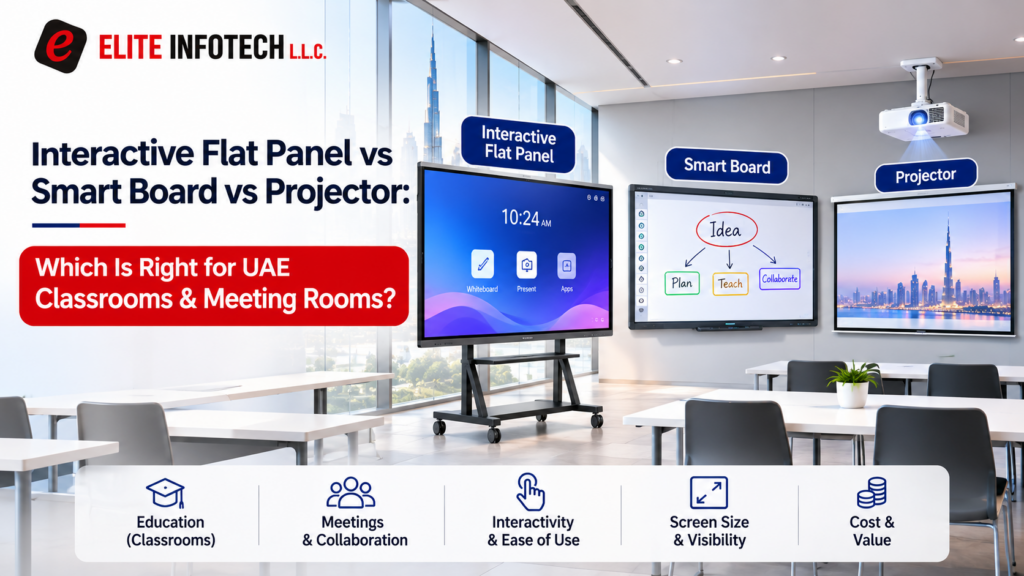
Replacing an old classroom projector or fitting out a meeting room? You’ll usually choose between a flat panel, a projector-based smart board, or a standard projector and screen.
The short answer: for most classrooms and meeting rooms, an interactive flat panel is the better fit. Projectors still make sense for large halls.
At Elite Infotech, we supply and install interactive displays across the UAE. Here’s how the three options compare on brightness, upkeep, size and price.
[IMAGE 1: real Elite Infotech installation photo if available, otherwise skip]
Alt text: Interactive flat panel mounted on a meeting room wall
The Quick Verdict for Classrooms, Boardrooms and Budgets
- Classroom: an 86″ or 98″ interactive flat panel, depending on room depth.
- Boardroom or hybrid meetings: a flat panel with a built-in camera and microphones.
- Tight budget, projector still working: keep it for now, but plan for lamp and filter costs.
- Hall or auditorium: a laser projector or an LED video wall.
What an Interactive Flat Panel Is
An interactive flat panel (IFP) is a large 4K touch screen, usually 55 to 98 inches. It has a built-in computer, whiteboard software and wireless screen sharing, so it replaces a projector, whiteboard and speakers with one unit.
Most panels run Android, and many have an OPS slot for a plug-in Windows PC. Samsung’s WAD series, for example, is EDLA certified, so Google Play apps run directly on the screen.
You can see the range of interactive smart boards in the UAE we supply and install.
What People Mean by “Smart Board”
SMART Board is a brand name from SMART Technologies that became the everyday word for any touch display. Today it usually means one of two products:
- Projector-based interactive whiteboard: a touch-sensitive board with a short-throw projector above it. This is the older style.
- Interactive flat panel: the picture comes from an LED-backlit screen, with no projector.
When a supplier quotes you for a “smart board”, ask which type it is. The price and running costs are very different.
Interactive Flat Panel vs Projector: How the Three Options Compare
The projector vs interactive display question usually comes down to room brightness and daily screen hours.
| Interactive flat panel | Projector-based smart board | Projector and screen | |
| Daylit rooms | Typically 350 to 450 nits, readable with lights on | Fades unless blinds are drawn | Fades unless blinds are drawn |
| Shadows | None | Reduced, not removed | Presenter casts shadows |
| Light source life | Backlight commonly rated 50,000 hours | Lamp: about 3,000 to 6,000 hours. Laser: about 20,000 | Same as projector-based board |
| Upkeep | Wipe the glass, update software | Lamp swaps, filter cleaning, touch calibration | Lamp swaps, filter cleaning |
| Touch | 20 to 40+ points | Varies by model | None |
| Largest practical size | Most stop at 86″ or 98″ | Limited by the board | Very large, suits halls |
A classroom using its screen 6 hours a day for a school year runs about 1,140 hours. Over five years, a lamp projector would likely need one or two new lamps. A flat panel or laser projector would need none.
Interactive Flat Panel Price in the UAE
These are listed prices from UAE online retailers in October 2026, for the panel only. Installation, mounting and an OPS PC cost extra. Check whether VAT is included before comparing quotes.
| Brand and model | Size | Listed price |
| MAXHUB S6520 | 65″ | AED 5,999 |
| MAXHUB E7530 | 75″ | AED 8,080 |
| Hikvision DS-D5B86RB/D (camera and mic) | 86″ | AED 8,399 |
| LG 75TR3DK-BG | 75″ | AED 8,549 |
| MAXHUB XBoard V7 V7550 (meeting room) | 75″ | AED 23,599 |
Most classroom panels here range from about AED 6,000 to AED 8,600, and some include a camera and microphone. Premium meeting-room models list above AED 20,000.
Elite Infotech can advise on current models and stock. Ask us for a quote.
Key takeaways so far
- A flat panel suits most classrooms and meeting rooms.
- “Smart board” can mean a projector-based board or a flat panel, so check your quote.
- Classroom panels list from about AED 6,000 to AED 8,600 in the UAE.
Choosing the Right Screen Size for Your Room
A common AV guideline, the 4/6/8 rule, says the back row should sit no further than 6 times the picture height for reading slides. Here’s the reading distance for each size:
- 65″: up to 4.9 m
- 75″: up to 5.6 m
- 86″: up to 6.4 m
- 98″: up to 7.3 m
If your back row is more than about 8 metres away, consider an LED wall for auditoriums or a laser projector.
[IMAGE 2: simple diagram showing back-row distance against screen height]
Alt text: Diagram showing back-row distance as six times screen height
Wireless Screen Sharing for Meeting Rooms
Most panels let laptops and phones share their screens without an HDMI cable. They use a casting app, a USB dongle, or AirPlay or Miracast on some models.
Before you buy, check that it works with every operating system your team uses, and that it can run on a guest network.
UAE Room Conditions to Check Before Buying
- Heat: many panels are rated for 0 to 40°C. Keep them away from sun-facing windows.
- Weight: a 75″ panel can weigh around 43 kg and an 86″ around 57 kg, so check the wall or use a rated mobile stand.
- Google apps: for Google Classroom or Play Store on the screen, ask whether the model is EDLA certified.
How Elite Infotech Handles Interactive Display Projects
- Free site visit: we check your room and recommend a size and model.
- Detailed quote within 24 hours: covering equipment and installation.
- Installation and setup: mounting, software, screen sharing and testing.
- After-sales support: manufacturer’s warranty, with optional maintenance contracts.
Our head office is in Deira, Dubai, and you can find our showroom locations on our website. Site visits are available across all seven emirates.
Picking the Right Display for Your Room
In the interactive flat panel vs projector choice, the panel is the practical pick for most UAE classrooms and meeting rooms. A projector still suits large halls. For lobbies and public areas, see our post on digital kiosks and touch screen displays.
Looking for a smart interactive display in the UAE? Book a free site visit and we’ll recommend the right size for your room.
FAQs
Does an interactive flat panel need a separate computer?
No. A built-in Android system runs the whiteboard and apps. An OPS slot lets you add a Windows PC if needed.
How much power does an interactive panel use?
Spec sheets for 65″ to 98″ models typically list around 310 to 400 W in use and under 0.5 W on standby.
Can I add touch to my existing projector?
Yes. An interactive whiteboard fitted where the projector shines turns the image into a touch surface. You keep the lamp costs and shadows, though.
What is EDLA certification?
It’s Google’s certification for Android-based displays, which lets them run Google Play and apps such as Classroom directly on the screen.