
A CCTV or NVR system is only as reliable as the hard drive recording its footage. Standard desktop drives aren’t built for the write cycles that come with round-the-clock recording, and a drive failure at the wrong moment can mean losing exactly the footage a business needs.
Elite Infotech supplies the full Seagate range as an authorised distributor in the UAE, so businesses aren’t stuck choosing between one generic drive and hoping it fits.
Why the Right Hard Drive Matters for CCTV and NVR Systems
Most CCTV and NVR systems record continuously, which means the hard drive inside is writing data nearly every hour of every day. It’s a problem Elite Infotech sees often: a business comes in after a drive built for occasional desktop use has already failed under constant recording, and the footage from before that failure is gone for good.
- Workload rating matters more than price: a drive rated for 24/7 operation lasts longer under constant recording than a standard consumer drive
- Capacity needs to match camera count and retention period, not just what’s cheapest on the shelf
- RAID compatibility matters for larger systems, where multiple drives work together and need to handle rebuild stress without failing
- Reliability affects more than convenience: lost footage can mean lost evidence for a business
Three Seagate Hard Drives for CCTV & NVR Storage in the UAE
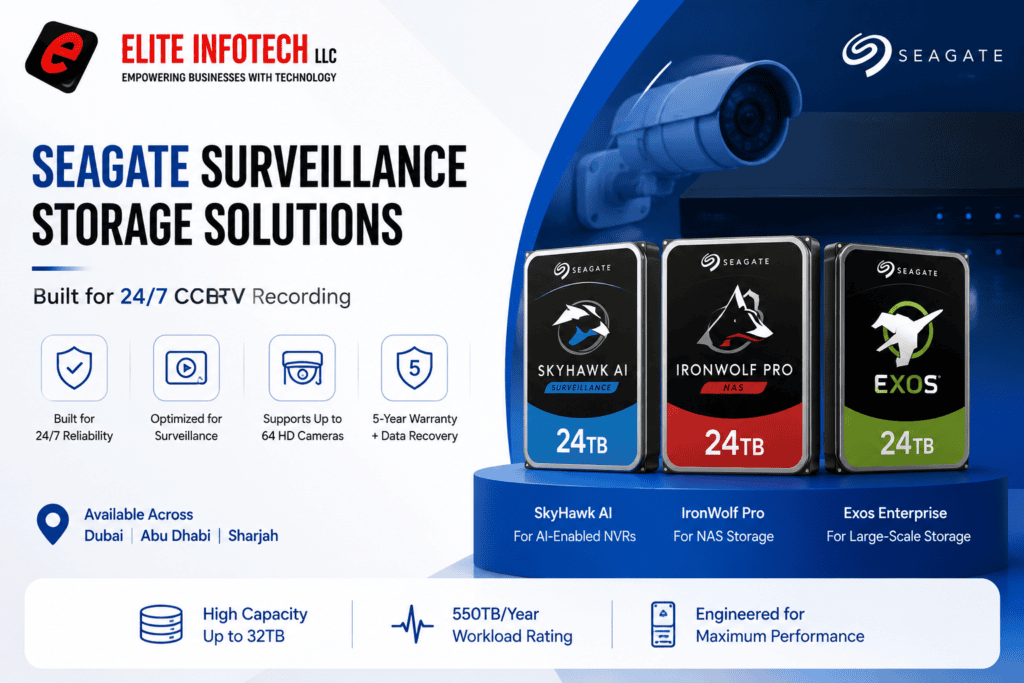
Not every business needs the same drive, and Elite Infotech stocks three that cover the different roles storage plays in a surveillance system: the drive that sits inside the recorder, the drive built for large enterprise arrays, and the drive used for backup and long-term archiving.
Seagate SkyHawk AI: Built Specifically for Surveillance
SkyHawk AI is Seagate’s dedicated surveillance drive, designed to sit directly inside an NVR and handle continuous recording from many cameras without dropping frames. It’s the drive built for this exact job, rather than one adapted from a general-purpose line.
- Handles up to 64 cameras at once, so even a large multi-channel NVR isn’t limited by the drive underneath it
- ImagePerfect AI firmware with zero dropped frames keeps footage complete even when many cameras are writing at the same time
- Rotational vibration sensors reduce errors in multi-bay NVR setups, which matters for larger installs running several drives side by side
- Tuned for AI-enabled NVRs, so businesses using facial recognition, object detection, or motion analytics get a drive built to support that workload, not just store it
- Common in retail complexes, campuses, warehouses, logistics facilities, and banking, where nonstop recording and fast playback both matter
Seagate Exos X24: Enterprise-Grade Storage for High-Capacity Systems
The Seagate Exos X24 steps in when a business needs more raw capacity than a single surveillance drive typically offers, usually inside a RAID array or a data centre-backed storage system sitting behind the NVR.
- A drive built for occasional use struggles under footage being written every hour of every day
- If storage gives out mid-recording, the footage a business needed during an incident or insurance claim may be gone for good
- Retail, logistics, and hospitality businesses are frequently asked to produce older recordings, not just the last 48 hours
- Downtime, lost footage, and early replacement usually cost more than choosing the right storage the first time
- As a business adds cameras or opens new locations, storage needs to scale without a full system rebuild
Seagate IronWolf Pro: NAS Backup and Long-Term Archival
The Seagate IronWolf Pro isn’t installed inside the NVR itself. Businesses typically use it as a second layer of storage, sitting in a NAS system that backs up footage separately, so a single drive failure in the recorder doesn’t mean losing everything.
- Gives a business a second copy of footage, so surveillance recordings survive even if the primary NVR drive fails
- Built for Synology and QNAP NAS systems, useful for businesses that want to centralise footage alongside other company files
- Designed for always-on, multi-user environments, so several staff can pull archived footage without slowing the system down
- A practical fit for longer retention periods, when a business needs months of footage but doesn’t want it all sitting on the primary recorder
- Comes with Seagate’s Rescue Data Recovery Service, extra peace of mind for footage a business genuinely can’t afford to lose
Which Drive Does Your CCTV System Actually Need?
Sizing storage correctly comes down to a few factors working together, and this is usually where the three drives above split into their proper roles:
- Number of cameras and resolution: More channels and higher resolution both mean more data written per hour, which usually points towards SkyHawk AI as the primary drive
- Retention period: Businesses needing months of footage on hand often add an Exos X24 array or an IronWolf Pro NAS backup, rather than relying on one drive alone
- Compliance or insurance requirements: Industries that must produce older footage on request tend to need the archival layer, not just the recording layer
- Budget and site size: A single shop may only need SkyHawk AI inside the NVR, while a multi-site business often runs all three together
Choose the Right Seagate Storage for Your Security System
The right hard drive keeps a CCTV or NVR system recording reliably for years, not just until the first heavy workload exposes a cheap drive’s limits. Whether that means SkyHawk AI inside the recorder, Exos X24 in a RAID array, or IronWolf Pro backing everything up, matching the drive to the job is what protects the footage that matters.
Elite Infotech supplies genuine Seagate hard drives as an authorised distributor, backed by manufacturer warranty and after-sales support, alongside the Dahua NVRs and CCTV systems these drives are built to run behind. Sourcing both from one supplier means no compatibility guesswork, and one point of contact if anything needs troubleshooting later.
Ready to spec the right storage for your system? Book a Consultation with Elite Infotech, and we’ll size the right drive, or combination of drives, to your camera count and retention needs.
FAQs
What’s the difference between SkyHawk AI, Exos X24, and IronWolf Pro?
SkyHawk AI sits inside the NVR for daily recording, Exos X24 handles large RAID or enterprise arrays, and IronWolf Pro backs up footage in a NAS. Elite Infotech can help you combine them.
Can I use a regular hard drive instead of a surveillance or enterprise-grade one?
Not recommended for continuous recording. Elite Infotech advises workload-rated drives like SkyHawk AI, which handle 24/7 writing far better than standard desktop drives.
How much capacity do I need for my CCTV system?
It depends on camera count, resolution, and retention period. Elite Infotech can calculate the right capacity and drive combination for your setup before you buy.
Does the Seagate SkyHawk AI work with Dahua NVR systems?
Yes. Elite Infotech supplies both Dahua NVRs and Seagate SkyHawk AI drives, and can confirm compatibility for your specific NVR model before installation.
What happens if a storage drive fails in my CCTV system?
Footage recorded before the failure is often unrecoverable without a backup layer. Elite Infotech supplies drives with manufacturer warranty and recommends NAS backup for critical sites.
Why buy Seagate drives from an authorised supplier instead of importing one?
Authorised suppliers like Elite Infotech offer manufacturer warranty and local support. Imported drives often lack proper warranty cover in the UAE.